Quickstart
You can explore SUMUN from the web app without installing a local client.
1. Open SUMUN
Open SUMUN. The contract search is available without login or a connected wallet.
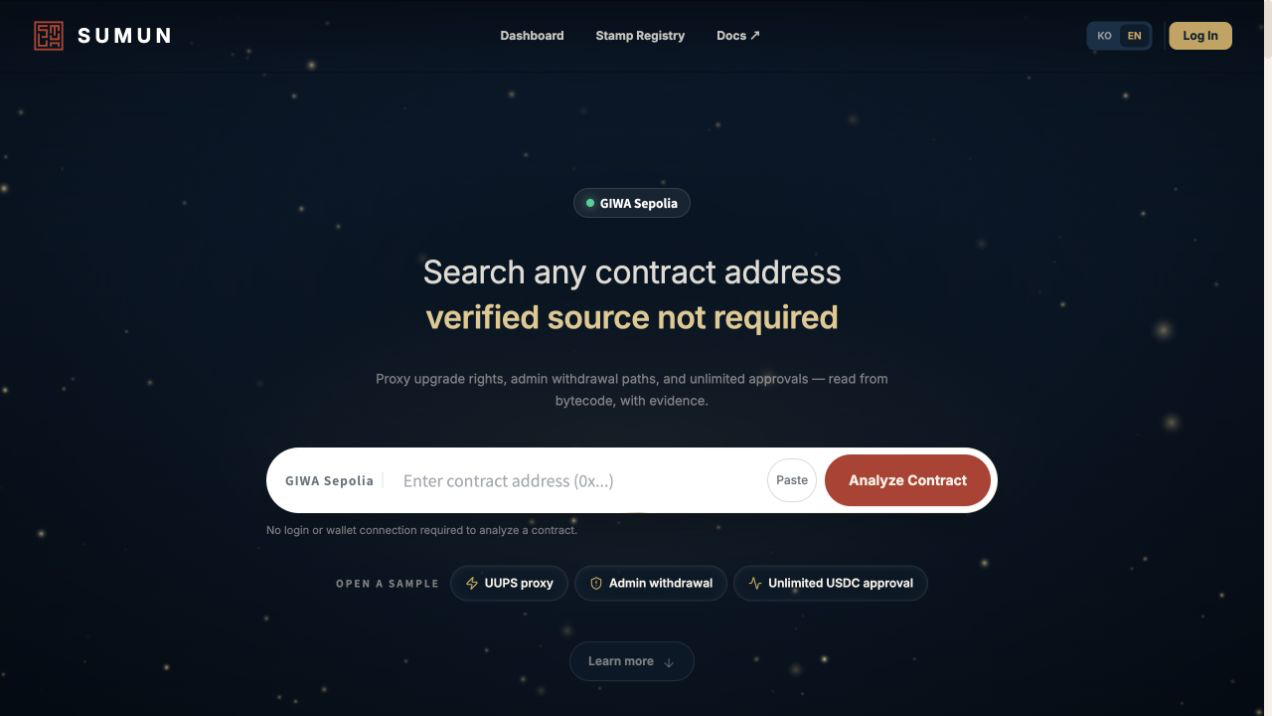
2. Enter a contract address
Enter a supported GIWA Sepolia contract address and select Analyze Contract. You can also open one of the sample contracts to explore the interface immediately.
SUMUN first checks whether the deployed contract has verified Solidity source. Verified source is displayed as published. If usable source is unavailable, SUMUN reads the runtime bytecode and reconstructs a Solidity-like representation for analysis.
3. Confirm the report snapshot
The report opens with the contract identity, risk level, finding count, coverage, snapshot block, and source status. Check that the report still matches the current code.

4. Review the result
Then review:
- Contract for source, bytecode, read methods, write methods, proxy information, and previous implementations when available.
- Findings for individual risks and their evidence.
- Audit report for the consolidated security assessment.
- Risk Stamp for the analysis snapshot recorded for external verification.
- History to compare earlier analysis states when available.
5. Check the limitations
Check the analyzed block and code hash. Upgradeable contracts can change after a report is produced. A report or Risk Stamp associated with older bytecode may no longer describe the active implementation.
A report with no detected findings does not prove that no vulnerability exists. Review the coverage, uncertainty, and limitations shown with the result.